
How to request an Enriched Company Profile?
Step 1: Navigate to your Golden Basket
- Log in to the platform.
- From the left panel, click on Campaigns.
- Select the Golden Basket containing the company for which you want an ECP.
Step 2: Request the Enriched Company Profile
- Click on the company.
- Go on the right side of the company's card.
- Click on "Enrich this company"

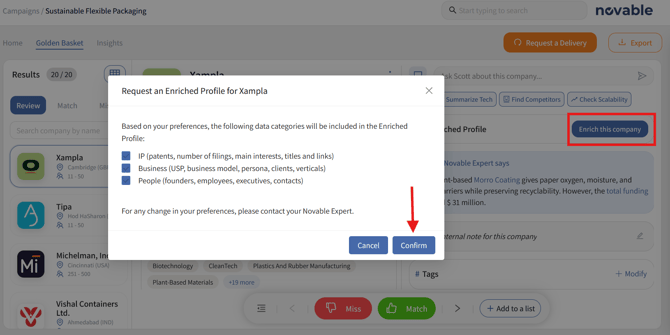
Step 3: Click on Confirm.
Your Novable Experts will retrieve and fact-check the data before uploading them to your Golden Basket in the next hours following your request.
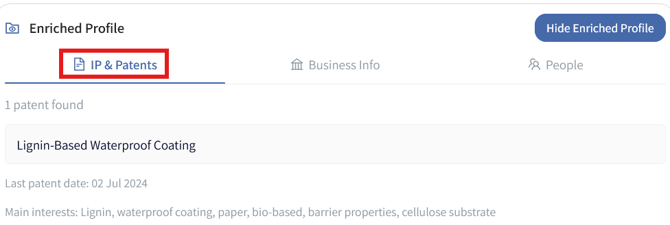
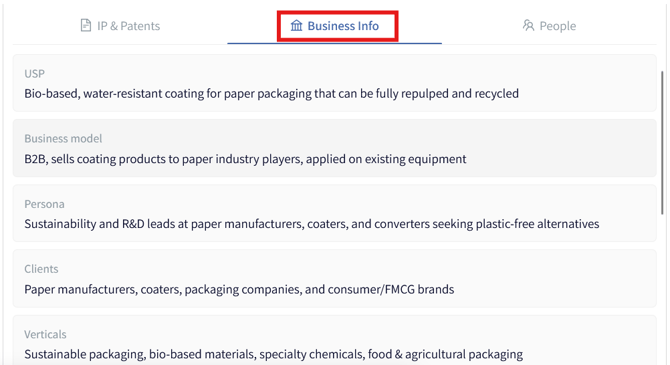
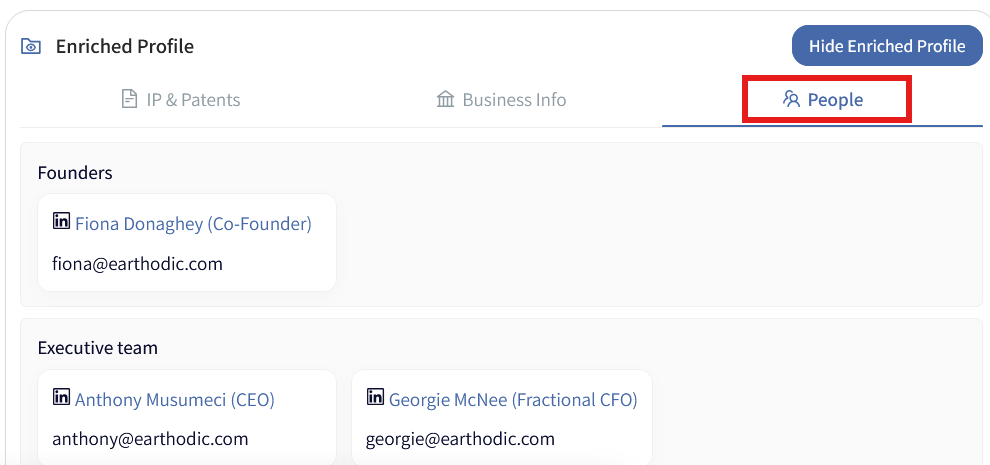
By default, you will receive the 3 Categories, for any change in your preferences, please contact your Novable Expert or support@novable.com
-
- Intellectual property (IP): Patent count, latest patent date, primary keywords, and links to the patents.
- Business: Unique selling proposition (USP), business model, buyer personas, key clients, and target verticals.
- People: Employee headcount, plus LinkedIn profiles and email addresses for founders, executives, and other key contacts.